How to Pay for Orders
Quick and Easy Way to Pay for Orders in One Click
You asked for a quote on Proc360, you got one and now you want to pay for it. Here's how to do so in 2 simple steps
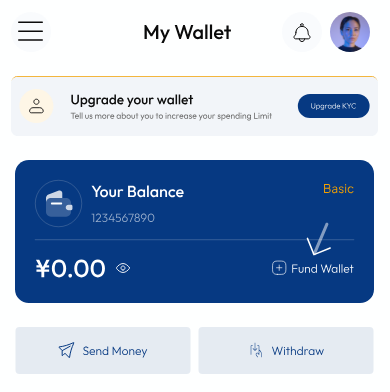
Fund Your Wallet
Before you can make a payment, make sure there's money in your wallet. (See the guide on how to fund your wallet.)
Find Your Order
- Tap the menu at the top left, select "Buy for Me",
- Under "Quick Actions", you'll see the order you want to pay for
- Click on "Pay for Order."
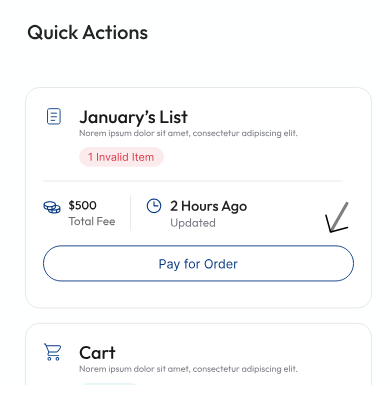
- Clicking on "Pay for Order" will show you a summary of your order and how much to pay
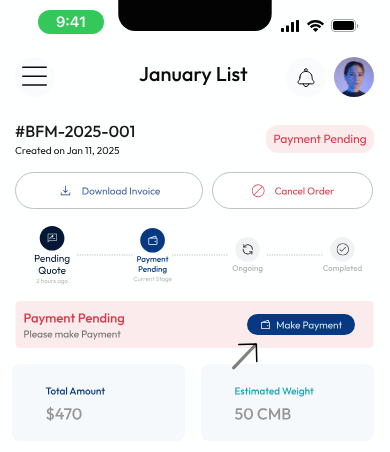
- Click on "Make Payment" and the money will be debited from your wallet automatically.
Pause! Check Your Quote
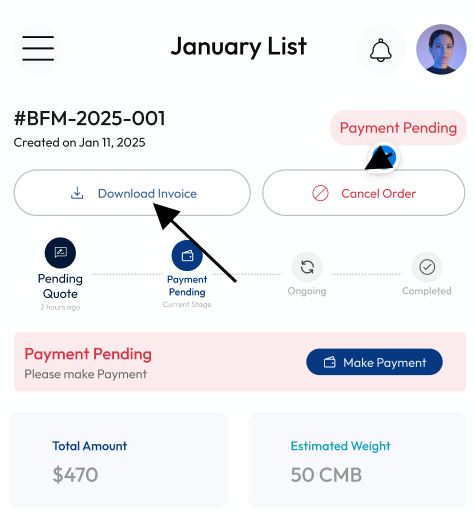
Before you click on "Make Payment";
- Click “Download Quote” to download and see the breakdown of the cost.
Over your budget? No problem!
- Edit your order by changing the quantity or removing some items
See full Guide on How to Edit Your Order.
Payment successful! Your order is now being processed. Keep an eye on your dashboard for updates as your order is now in progress.