How to Fund Your Wallet on Proc360
The Quickest Way to Fund Your Proc360 Wallet
How to Secure Your Funds with Proc360
Watch the video below for a quick walkthrough. If you prefer reading, you'll find the step-by-step guide right after.
Need to make payments or send money to suppliers on Proc360? First, you’ll need to fund your wallet. Whether you're using a card, bank transfer, or USSD, this guide will walk you through every step—simple, fast, and stress-free.
Log in to Your Account
Start by logging into your Proc360 account with your email and password. Once you’re in, you’ll land on your homepage.
Go to Your Wallet
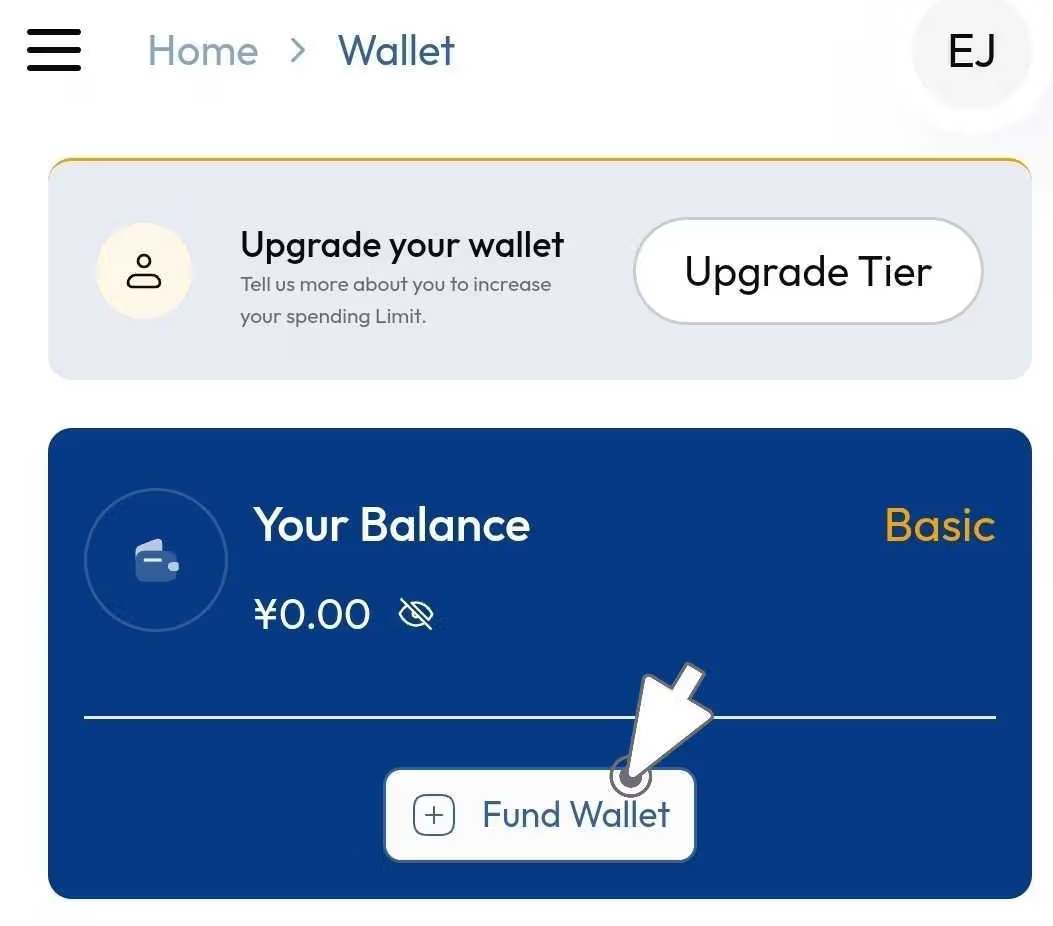
- From your homepage, click on “Go to Wallet” directly or tap “Wallet” at the bottom of your screen.
- Alternatively, you can tap the menu button (☰) in the top-left corner and choose Wallet from the options.
- Once you're in your wallet, click on “Fund Wallet”.
Enter the Amount
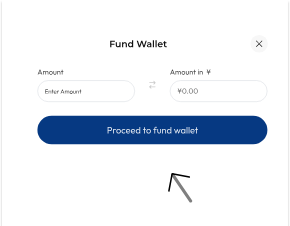
- Type in the amount you want to deposit in naira or cedis.
- The equivalent in RMB will show beside it, so you know exactly what you’re funding.
- Click “Proceed to Fund Wallet”.
Choose Your Payment Method
You’ll be taken to a payment page where you can choose your preferred deposit method:
- Card: Enter your card number, expiry date, and CVV.
- Bank Transfer: Copy the account number shown, note the bank name and exact amount, and make the transfer using your bank app.
- Other Options: You can also pay using USSD, QR code, or other supported methods—follow the step-by-step instructions provided on the payment page.
Confirm Your Payment
After making the payment:
- You can click “I have paid” manually, or
- Wait for the system to automatically detect your payment. Once your payment is confirmed, your wallet will be credited in RMB, ready for use.
You're all set! With your wallet funded, you can now handle transactions, place orders, or pay suppliers with ease. Just follow the same steps anytime you need a top-up.