Check Order Status
Track Your Proc360 Order from Quote to Delivery
Here’s a step-by-step breakdown of what happens after you create an order and how you can monitor its progress.
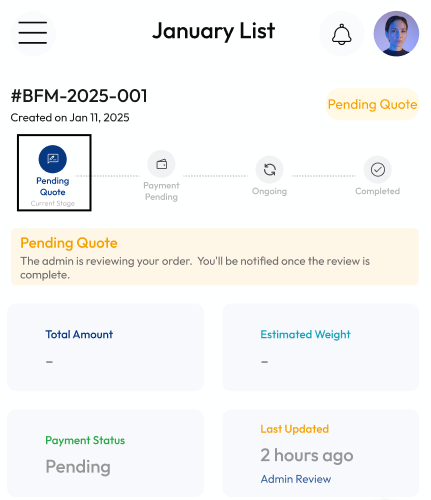
Pending Quote
After requesting a quote, your order is in Pending Quote. At this stage:
- You're waiting to get a quote. Usually takes between 8- 36 hours.
- It's faster if you've submitted links and slower if you've submitted pictures.
- Once the quote is ready, you will receive a notification in your email, so make sure that you can get emails from Proc360.
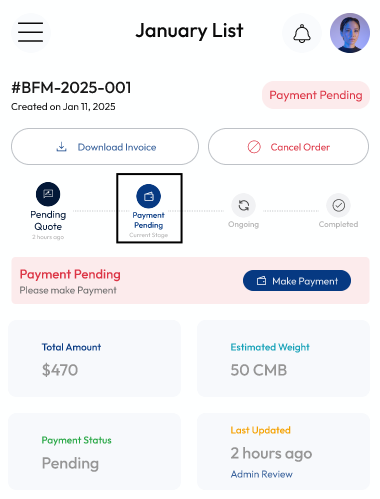
Payment Pending
Once your quote is ready, your order is now Pending Payment. At this point, you will see a summary of the quote, but you should download the invoice to see the detailed breakdown of the price.
- Then click "Make Payment" to proceed, if you're satisfied
OR
- Edit your order. You can add new items, change the quantity, or remove items. Here's a detailed guide on how to edit your order
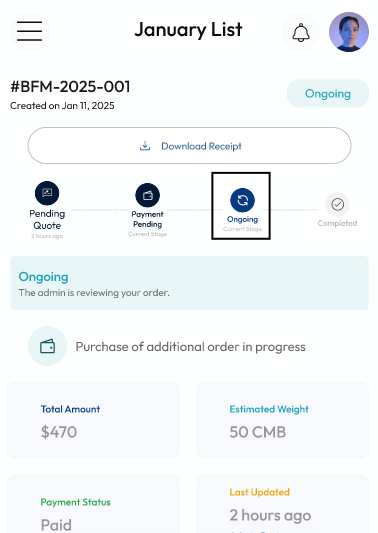
Ongoing Order
After payment has been made, your order is now Ongoing, meaning:
- The sellers will receive the payment
- The sellers will send the goods to your Proc360 store
- You will get another email once all the items in the order have arrived at your store
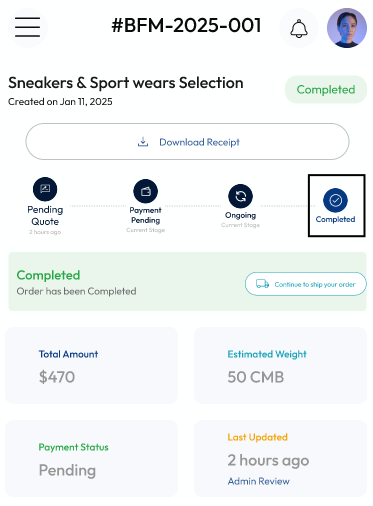
Completed Order
Once all the items in the order have arrived at your Proc360 store and has been checked, your order is now Completed. At this stage:
- You can now request shipping.
- You can also leave it in your store if you want to add more orders
- Click “ Ship Your Order" to send your goods to your location
You’re in control! With these simple steps, you can seamlessly manage and monitor your order from start to finish.