How to Get Your Parcel(Tracking) Codes From Your Chinese Marketplace
Find Your Tracking Code & Keep Your Parcel on Track
What is a Parcel Code?
Parcel code is a unique identification number assigned to a package to help identify and track it throughout the delivery process. The code is used to confirm the package upon arrival at the warehouse.
Where to Find Your Parcel Codes
Once you’ve placed an order on 1688, Taobao, Pinduoduo, or Alibaba, the seller will ship your items and give you a tracking code. This code lets you track where your parcel is and is also needed when uploading your parcel details on Proc360. Here’s how to find your tracking code on each platform:
1688
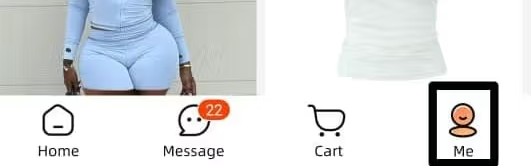
Open the 1688 app and click the "Me" tab (bottom right).
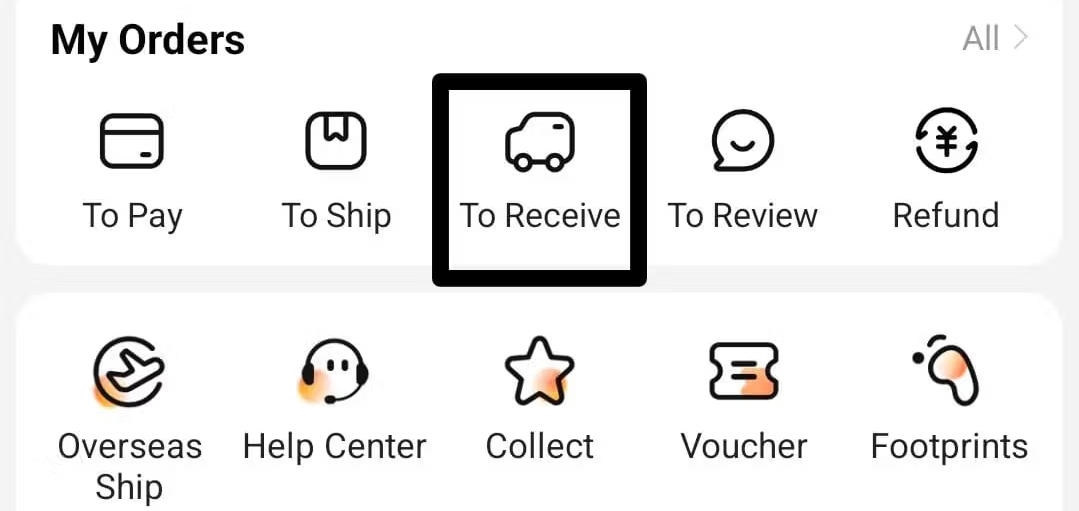
Go to “My Orders” and tap “To Receive” to view all items that have been shipped but not yet delivered.
Each product will appear under the store you bought from. You’ll see options like:
- Track Shipment
- Buy Again
- Received
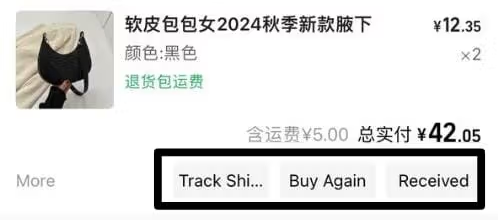
Tap "Track Shipment".

The tracking page will open, showing a map-style tracking timeline. Just below it, two numbers in different places:
- One with a logistics company name beside it
- The other is the order number
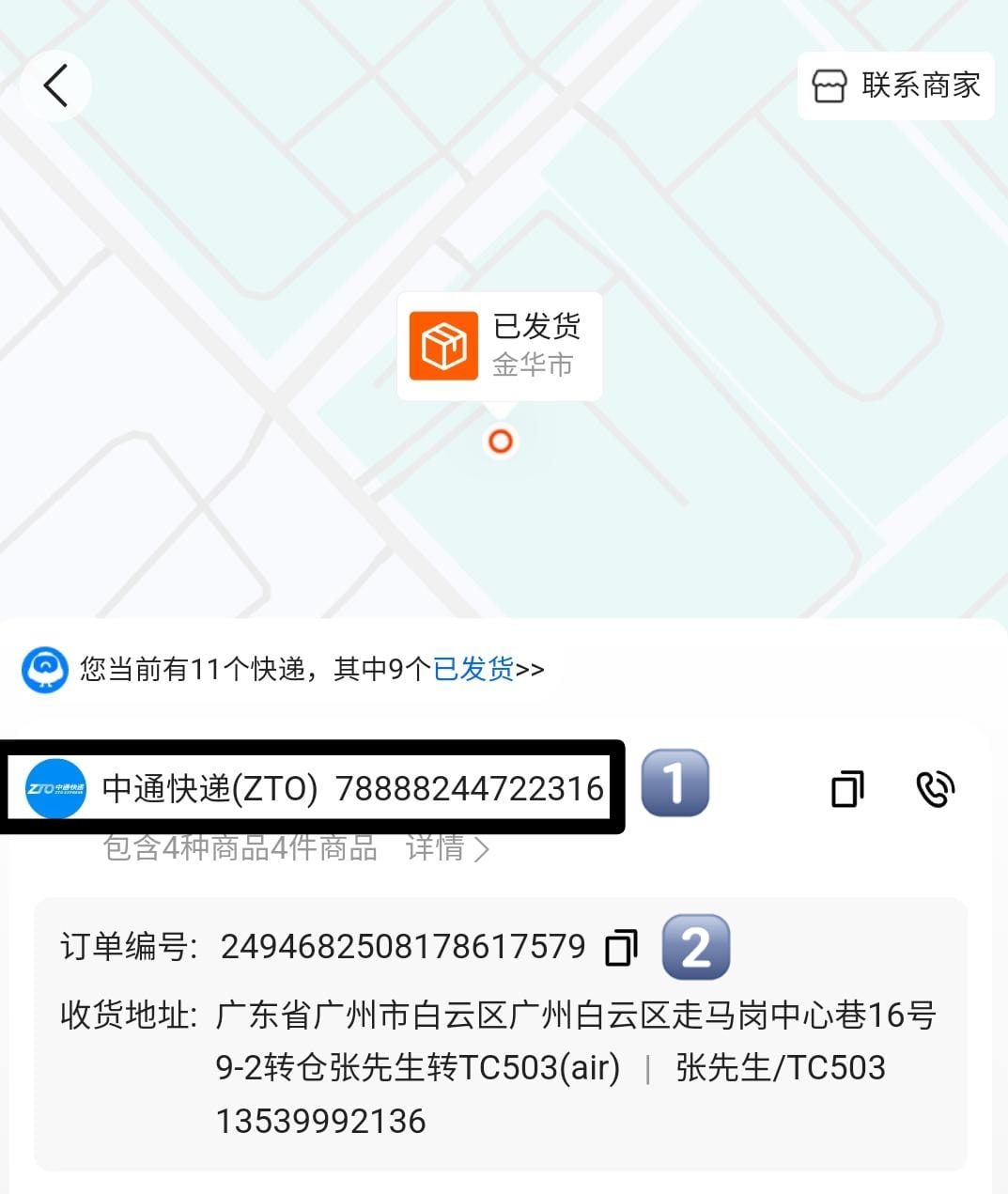
Copy the code beside the logistics company name — that’s your parcel tracking code.
Taobao
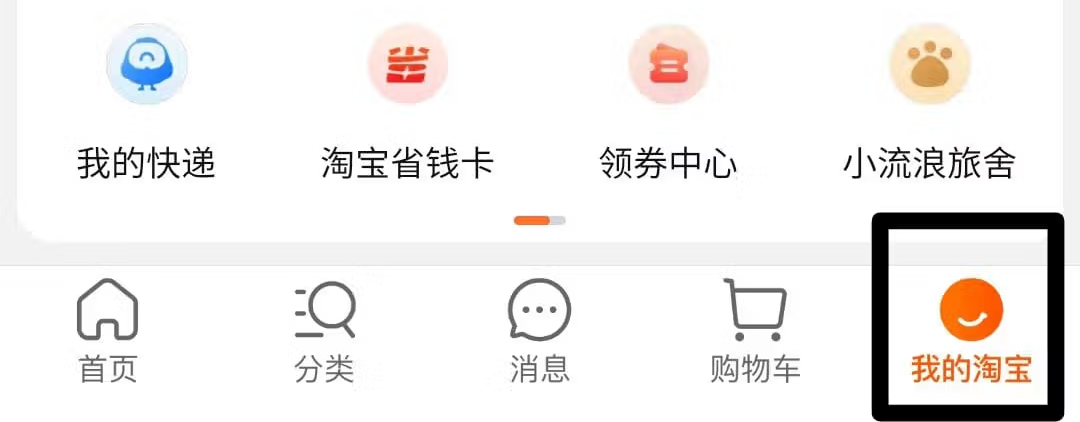
Open Taobao and click “My Taobao” (near the cart tab).
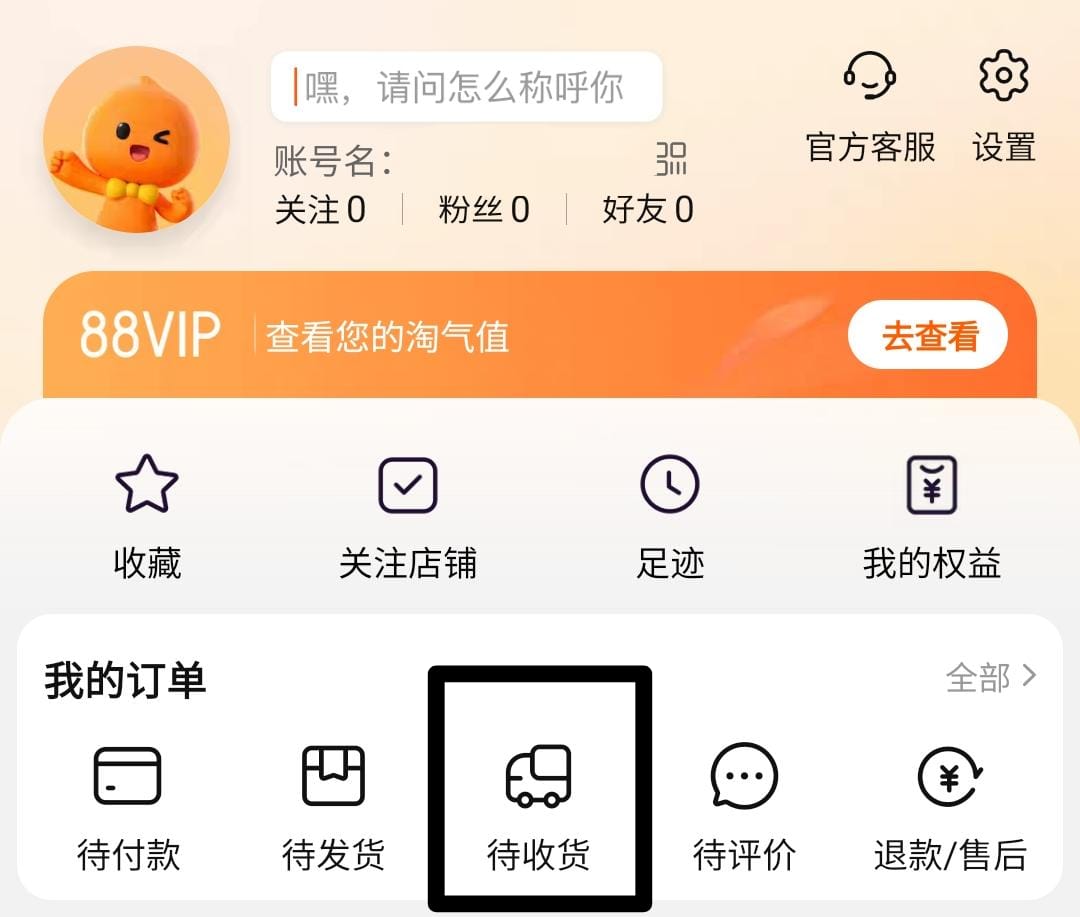
Go to “My Orders” and tap “Awaiting Receipt”.
For the item you want to track, you’ll see:
- Extend Delivery
- Check Logistics
- Confirm Receipt of Goods
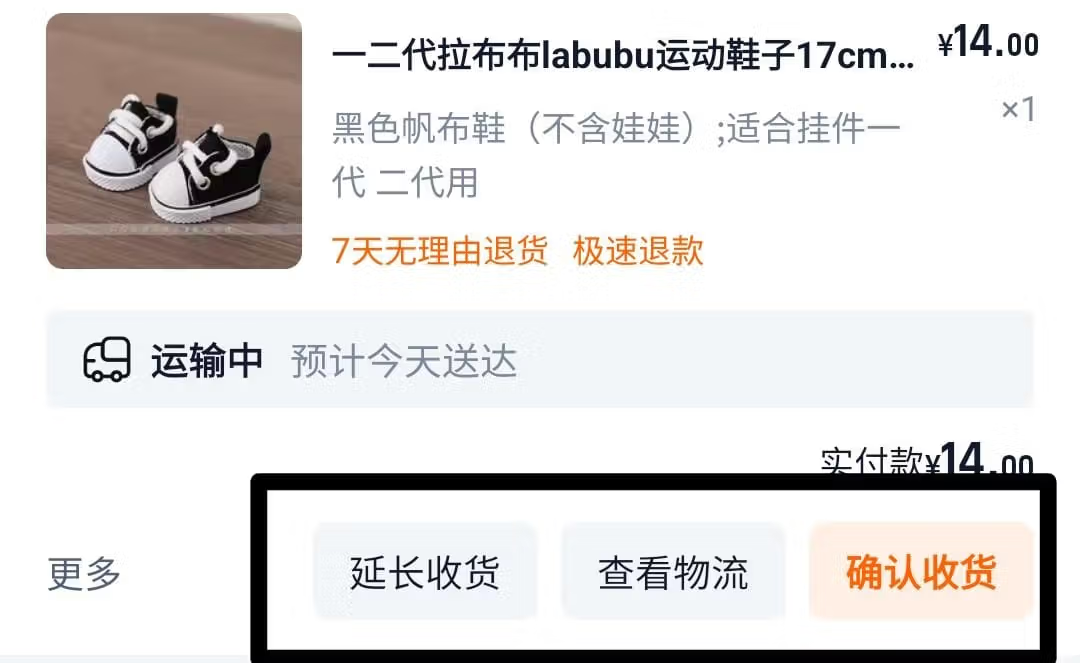
Note: Use a translator to easily identify the options.
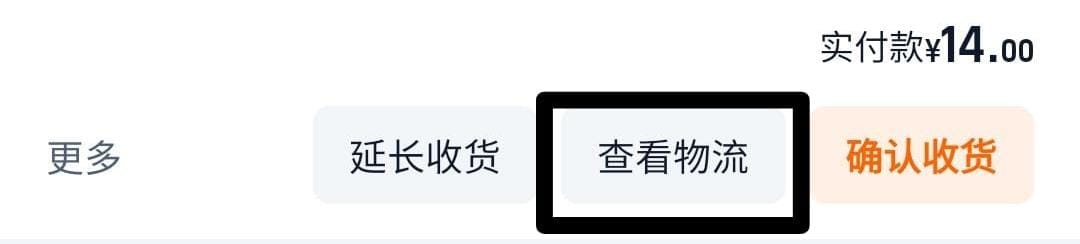
Click “Check Logistics” to view the item’s delivery progress.
On the page with the map showing item movement, look for the logistics name and code next to it just beneath the map.
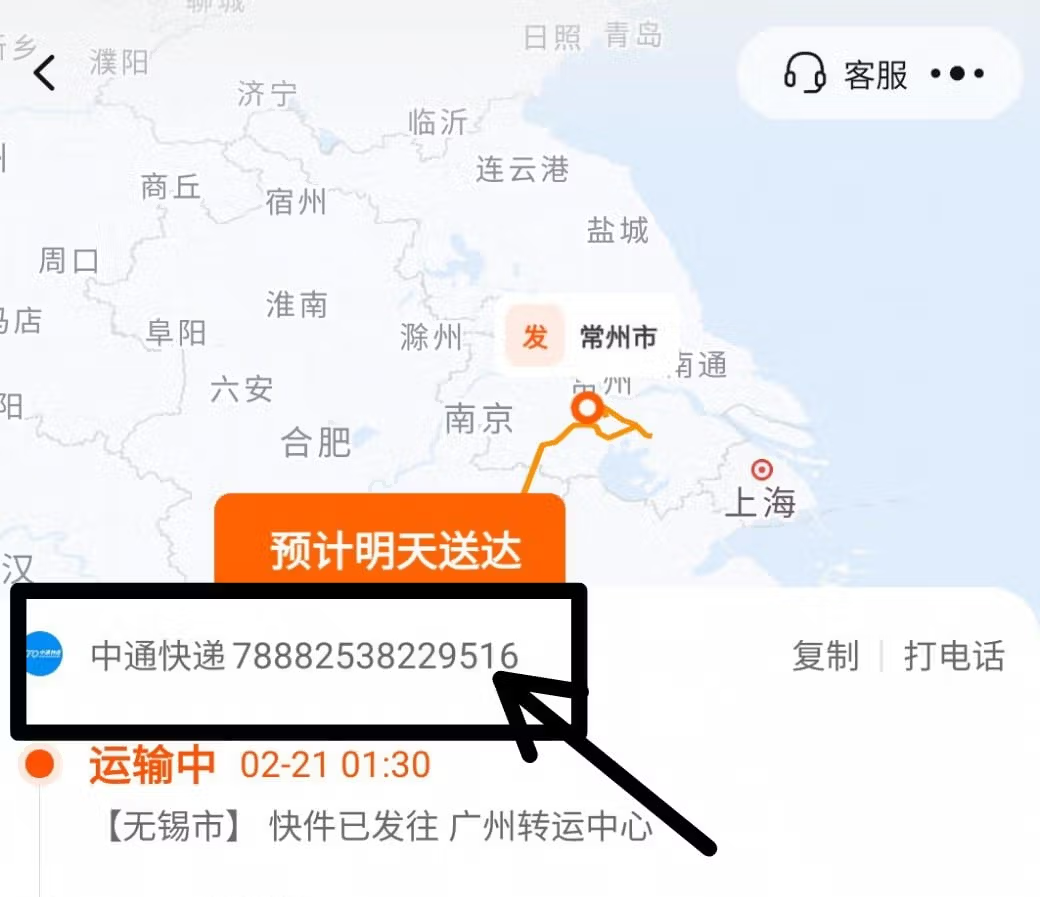
Copy the code — this is your tracking number.
Pinduoduo
Open the Pinduoduo app and go to the Personal Center (near the chat tab).
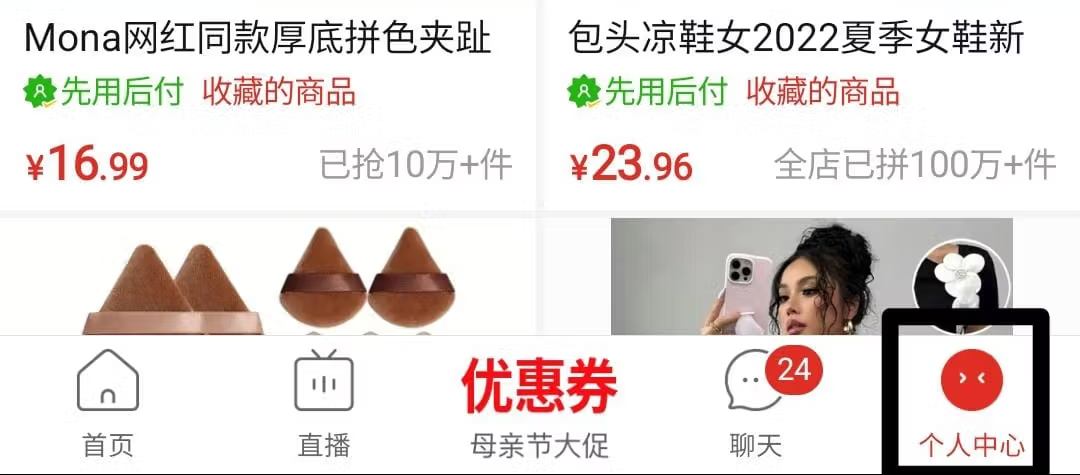
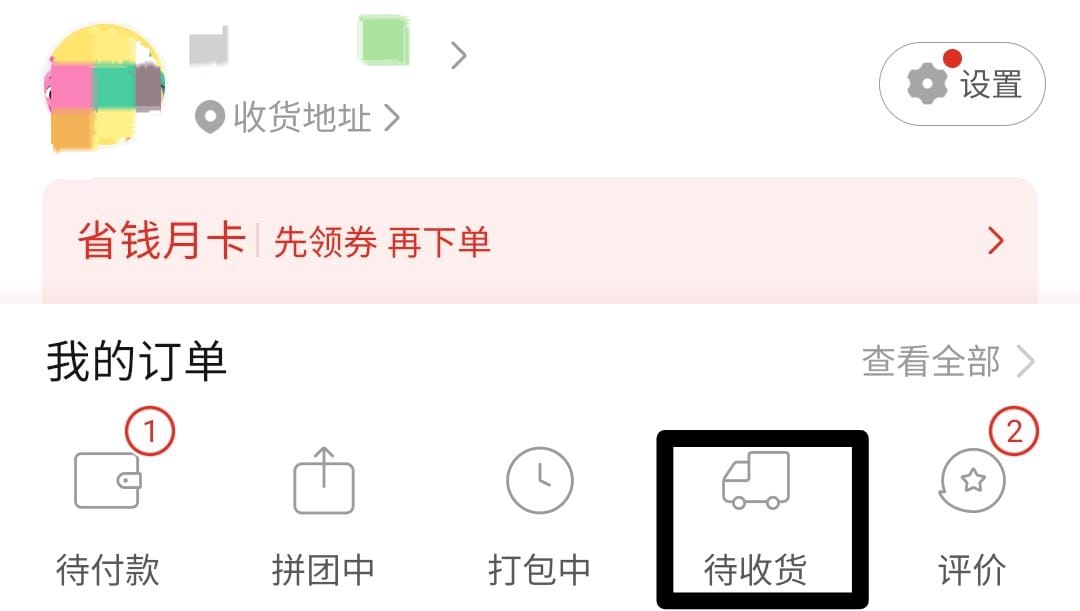
Go to “My Orders”, then go to “Awaiting Receipt”.
Find the product you want to track under the correct store. You’ll see:
- Apply for Refund
- View Logistics
- Confirm Receipt of Goods
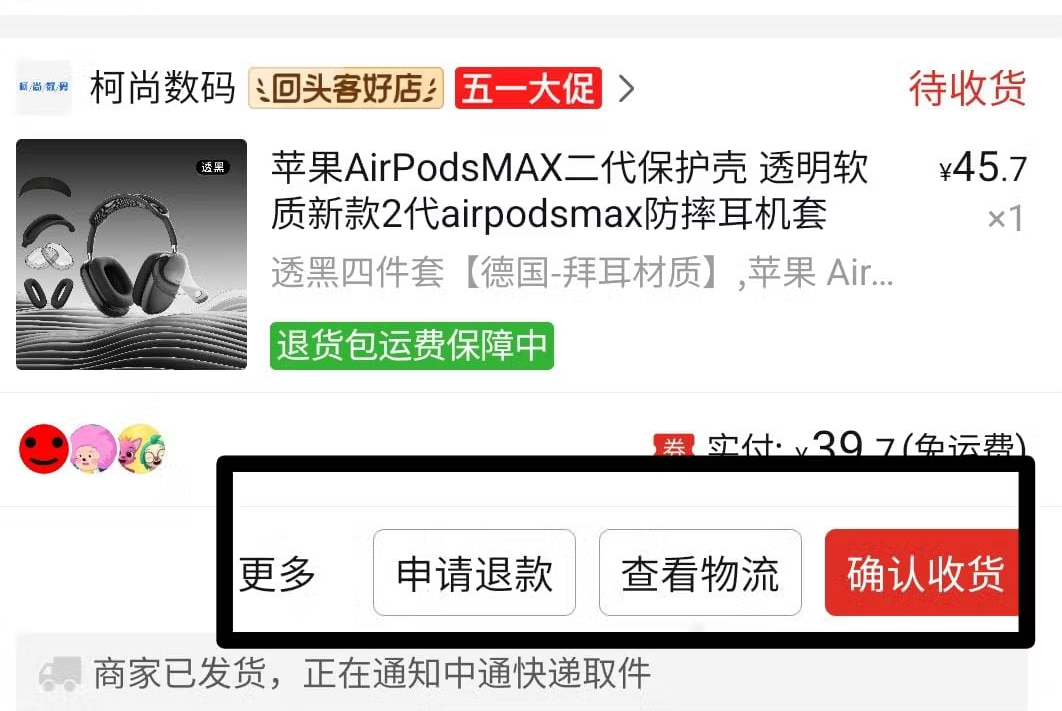
Click “View Logistics” or the car icon under the store, which also takes you to the tracking page.
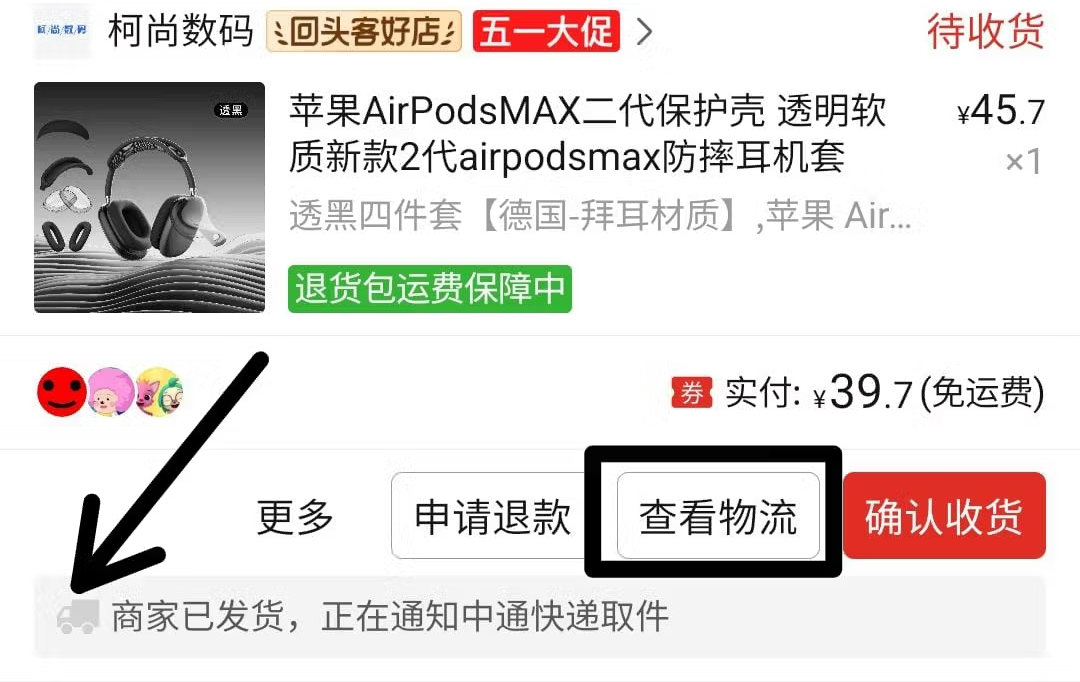
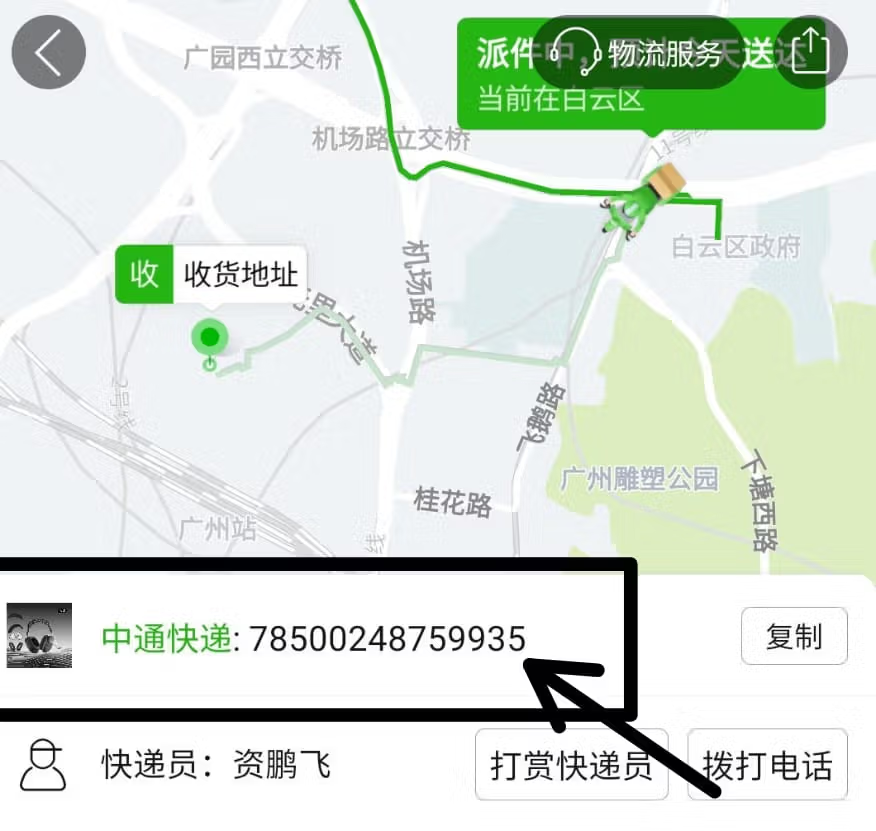
On the logistics page, find the logistics company name. Right next to it is the tracking code. That’s the code you need to copy
Alibaba
Unlike 1688 or Taobao, Alibaba is built for international buyers, so you won't always find local delivery tracking in your order dashboard.
- Before you place or pay for your order:
- Chat with the supplier to confirm what you're buying, the quantity, and the price.
- Share your Proc360 warehouse address with them.
- Once everything is agreed on, go ahead and make the payment.
- After the supplier ships your item, ask them for the tracking number and the name of the logistics company.
- Copy the tracking number — that’s what you’ll use to upload your parcel on Proc360.
And that’s it! Once you’ve found and copied your tracking code, head over to Proc360 to upload it and complete your parcel information. This helps us track, receive, and process your goods smoothly.